Plans and credits
A plan is a number of prompts for a monthly price. Each prompt is asked on the engines you pick (3 of the 6 on the paid plans), on a schedule, from your region.
Plans
| Plan | Price | Prompts | Engines | Each prompt asked |
|---|---|---|---|---|
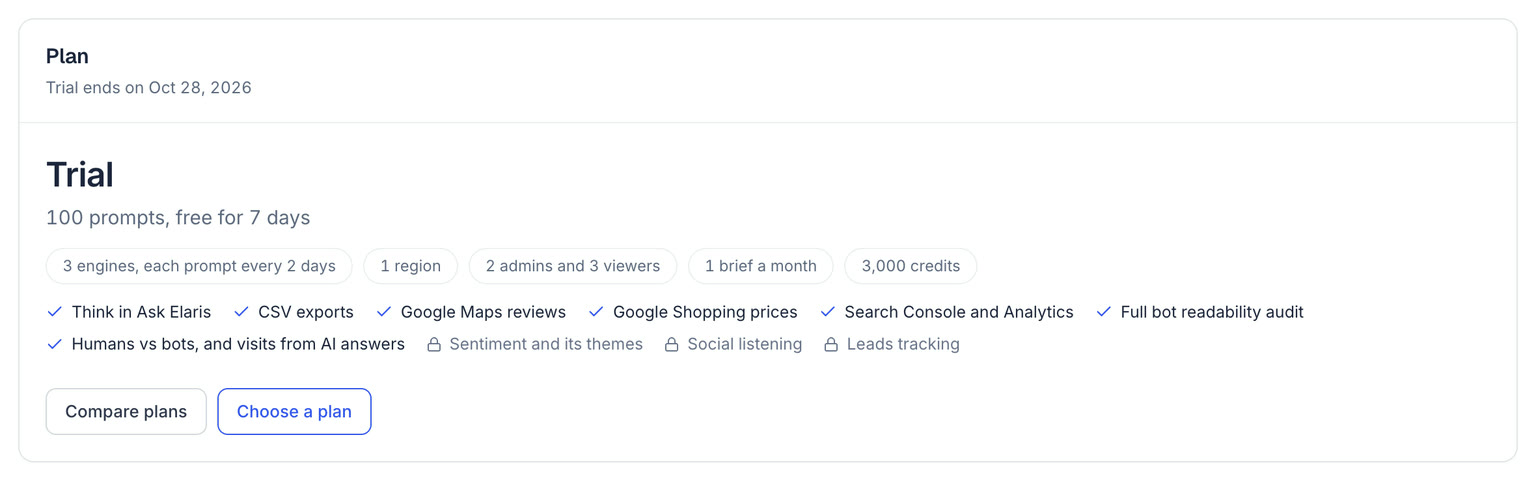
| Trial | Free for 7 days | 100 | 3 | Every 2 days |
| Starter | $250 a month | 250 | 3 of 6, your pick | Daily |
| Growth | $550 a month | 550 | 3 of 6, your pick | Daily |
| Scale | $1,037 a month | 1,500 | 6 | Every 3 days |
| Enterprise | Custom | Custom | 8 | Up to daily |
| Agency Core | $500 a month | 500, shared by up to 3 brands | 3 of 6, your pick | Daily |
A prompt is one question you track, such as “best sofa shop in Dubai”. A question tracked in two languages counts as two prompts. Full details, including what each plan includes, are on the pricing page.
What each plan includes
Every plan has Ask Elaris, AI traffic, reporting in every language you track, and its prompts, engines, regions, seats and briefs a month. On top of that:
- Think in Ask Elaris: Every plan
- CSV exports: Every plan
- Google Maps reviews: Every plan
- AI shopping and Google Shopping prices: Every plan
- Search Console and Analytics: Every plan
- Full bot readability audit: Every plan
- Humans vs bots, and visits from AI answers: Every plan
- Sentiment and its themes: Growth and above
- Competitor moves: Growth and above
- Social listening: An add-on, $99 a month for 1 region or $199 for 3; included on Enterprise
- Leads tracking: Enterprise
- Agency workspaces: Agency Core and Enterprise
The app shows what your plan doesn't include as locked, with the plan that has it. When a plan changes to one with fewer regions or prompts, only the first regions are collected, and collection waits until prompts fit the plan; Settings → Plan and credits says what is over.
Credits
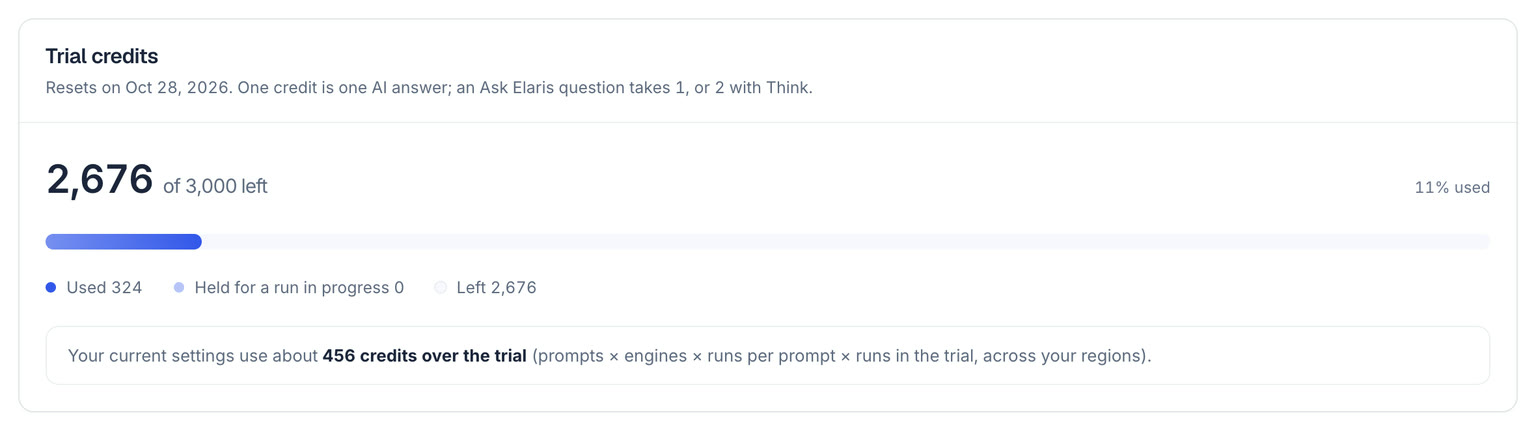
Credits are how usage is counted: one credit is one AI answer. Every plan includes enough credits for all its prompts on its schedule, with room left for Ask Elaris, so most teams never need to think about them.
| What | Credits |
|---|---|
| One answer from ChatGPT, Google AI Overviews, Gemini, Google AI Mode, Perplexity or Copilot | 1 |
| One answer from Claude or Grok (Enterprise) | 3 |
| An Ask Elaris question | 1 |
| An Ask Elaris question with Think | 2 |
| AI traffic, Search Console, Analytics, page checks and exports | None |
Credits are counted from the answers that come back, so a failed or skipped answer costs nothing.
Asking more often
Settings → Market → Sampling sets how many times each prompt is asked per run and how often runs happen. Asking more often than your plan includes uses more credits. A month of tracking uses about prompts × engines × runs per prompt × runs a month: for example, 550 prompts on 3 engines, asked once a day (30 runs), use 49,500 credits.
Settings → Plan and credits works this out from your current settings and warns you when it is more than your plan includes. When you change plan, every region moves to the new plan's schedule and keeps the engines it picked, up to the number the plan asks.
Seeing what you use
- The sidebar shows the credits left this month (admins and owners).
- Settings → Plan and credits shows credits used and left, credits held for a run in progress, and where they went by engine and Ask Elaris.
- Settings → Collection shows how many of your plan's prompts are in use, and the answers a month each region collects.
When credits run out
A run only starts when the month's credits cover all of it, so you never get half a run. If they don't, collection pauses, Settings → Plan and credits says how many the run needs, and it starts again when credits are added or the month resets. Nothing you have collected is lost, and every report stays available. Ask Elaris pauses too.
To use fewer credits, ask each prompt less often (Settings → Market → Sampling), track fewer engines, or archive prompts you no longer need.
Months, top-ups and the trial
- Credits reset on the first day of each month (UTC) and don't roll over.
- Top-ups add credits for the current month. Ask from Settings → Plan and credits → Add credits; they are usually added the same day.
- The trial lasts 7 days, with 100 prompts on ChatGPT, Google AI Overviews and Gemini. When you set up your workspace yourself, you pick Starter or Growth and add a card on Stripe's secure page, and the trial starts then: nothing is charged until it ends, we email you 3 days before, and the plan you picked starts on day 8. Cancel before then and you pay nothing. A workspace ElarisLabs sets up starts its trial when it's created; choose a plan from Settings → Plan and credits to keep collecting.
- One free trial per person and card. A second workspace, or a card that already had a trial, starts its plan straight away.
Elaris Visibility by ElarisLabs AI